Mobile Access
System users can also use the mobile application, which they can access in 3 ways. However, employees who are not users may use the mobile application to a limited extent by entering reports or reading messages.
An employee can be granted mobile access by clicking “New” and filling out the form:
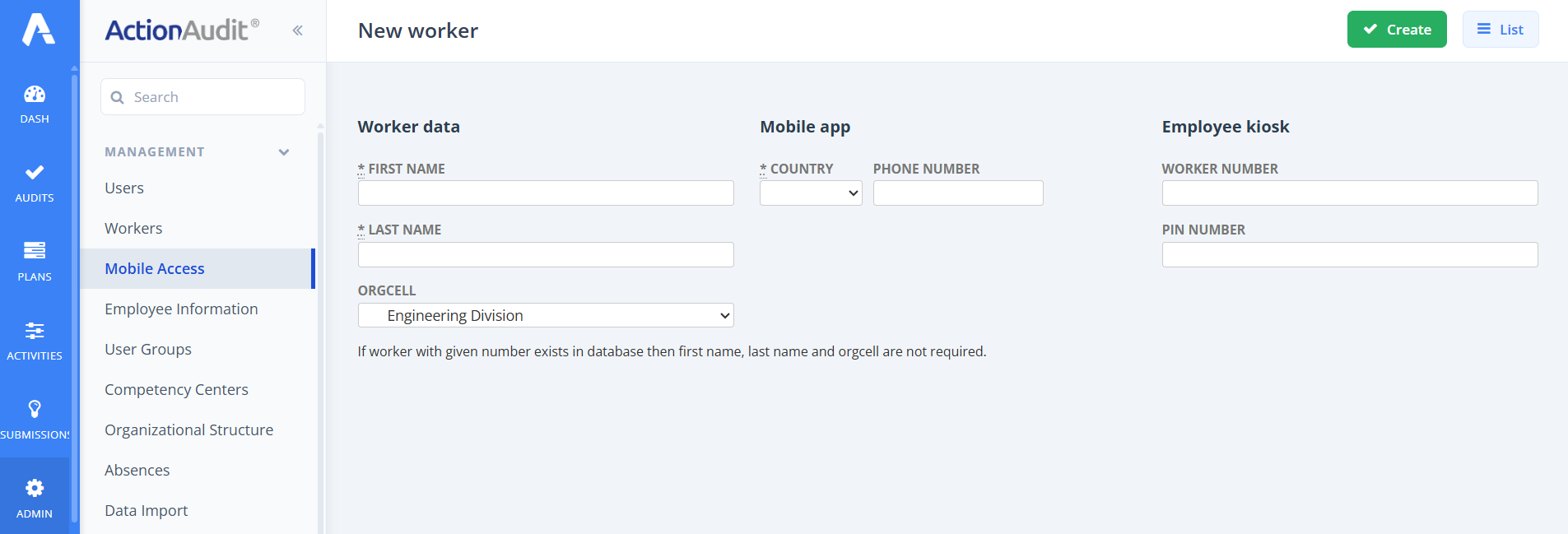
After completing the required information, you can save the changes by clicking “Create”.
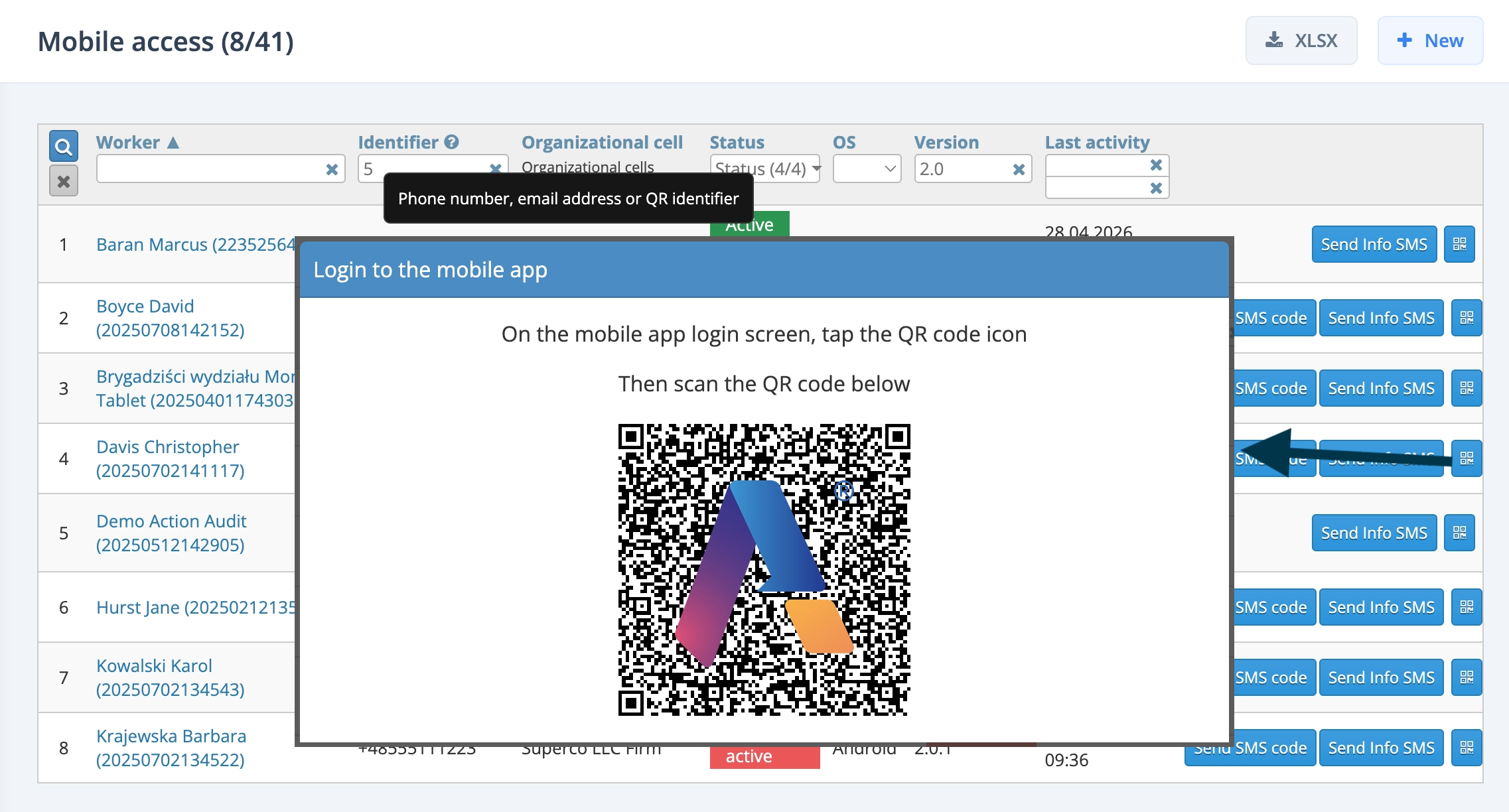
Then, if the employee wants to use the mobile application, he or she must log in to it. To do this, the administrator clicks on the QR code icon in the selected row, and the employee scans the displayed QR code. The code is valid for 5 minutes.