Users permissions
The Action Audit application implements an advanced permissions system based on roles and organizational structure, allowing for advanced options to control which user will have access to which application resources.
Roles
Several roles have been prepared for those managing user access to application resources, which define user permissions. Roles can be set by being an administrator in the form for adding a new user or editing an existing user.
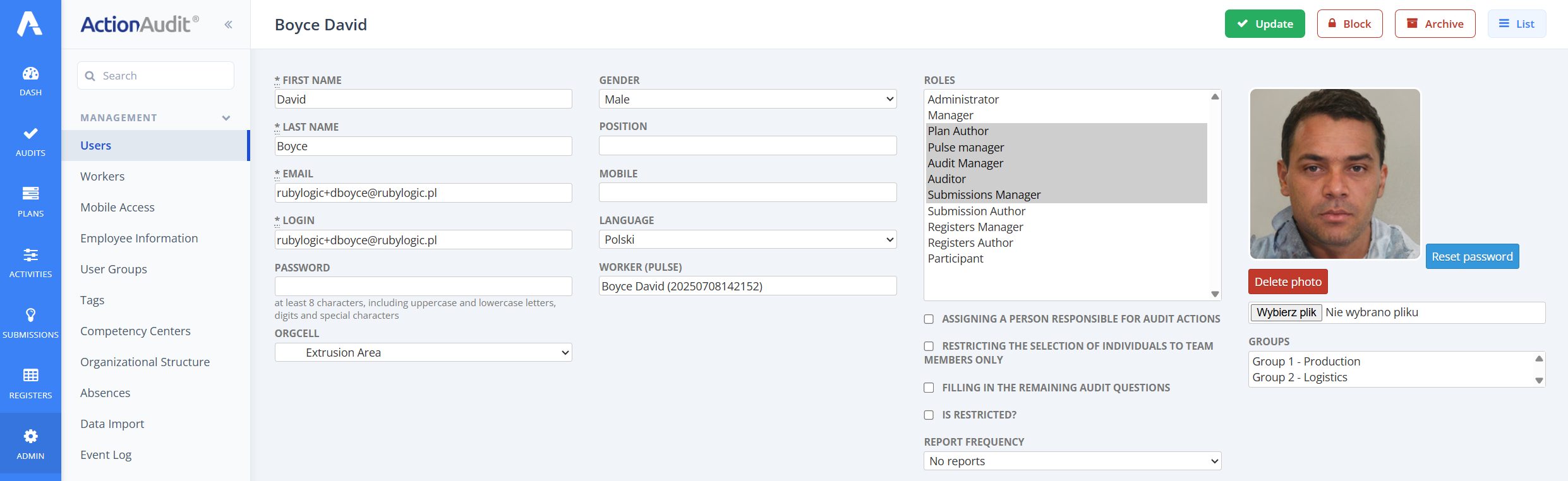
You can assign multiple roles to a user by selecting them in the field while holding down the CTRL or CMD key on Mac computers.
The list of roles available in the form depends on your license. Only roles associated with the modules included in your license are displayed. All roles available in the system are described below, so some of them may not be visible in the form you see in the application.
Below is a description of the permissions for each role. All permissions apply to the organizational unit to which the user is assigned and to its subordinate units. None of the roles grants any permissions to higher-level organizational units.
Administrator
A user with full permissions, including managing the organizational structure and other users, creating new and deleting existing user accounts.
Manager
A user with permission to create action plans and manage other users’ action plans. However, he cannot manage other users and the organizational structure.
Be careful with the administrator and manager roles, as they give the user very broad capabilities. Assign these roles only to individuals authorized to manage the appropriate resources.
Plan author
A user with permission to create action plans. He cannot manage other users’ action plans.
Pulse Manager
A user with permissions to manage access to the Action Audit mobile application, as well as to send messages to employees via this application.
The following roles are specializations of the Manager and Plan author roles for individual specialist modules of the Action Plan.
Audit Manager
This user can see all audits within their organizational unit and all its subunits. They also have permissions to create audits, carry out audits assigned to other users, and configure elements of the audit ecosystem, including: checklists, auditor groups, audit areas, and schedules.
IMPORTANT: Be careful when assigning the two most powerful roles: Administrator and Manager, as they give the user very broad capabilities. Assign these roles only to individuals authorized to manage the appropriate resources.
Auditor
User authorized to create ad-hoc audits.
Submissions manager
A user authorized to enter employee suggestions into the Quick Kaizen system and carry out the evaluation process on behalf of himself and other users.
Submission author
A user authorized to enter employee suggestions into the Quick Kaizen system and carry out the evaluation process only on his own behalf.
Engineering Changes Manager
A user with the authority to submit engineering change proposals to the system and perform the evaluation process on behalf of himself and other users.
Engineering Changes Author
A user authorized to enter engineering change proposals into the system and complete the review process only on their behalf.
Registers manager
A user with permission to create registers and manage other users’ registers.
Registers author
A user with permission to create registers. They cannot manage other users’ registers.
Participant
This user can neither create nor manage new action plans. He can be indicated as an action plan participant assigned to a specific action, which he can update by entering the solution and updating the work progress. This is the role with the narrowest scope of permissions in the system.