Competency Centers
Competency Centers are an advanced mechanism for extending user permissions beyond their native organizational structure. They allow for assigning specific roles to users or entire groups within the context of selected organizational units, without the need to directly assign these individuals to a specific unit in the hierarchy.
The user maintains their “place” in the native structure (e.g., HR Department) while simultaneously holding expert permissions in other areas (e.g., EHS across the entire factory).
Available Roles
Within a competency center, the following roles can be assigned:
- Administrator – full management permissions within the specified unit.
- Audit Manager – management of audit processes.
- Quick Kaizen Manager – handling and processing submissions.
- Engineering Changes Manager – management of processes within the change module.
Creating a Competency Center
To create a new competency center, follow these steps:
- Go to the Admin module (gear icon in the sidebar).
- From the Management section, select the Competency Centers tab.
- Click the blue + New competency center button located in the top right corner of the screen.
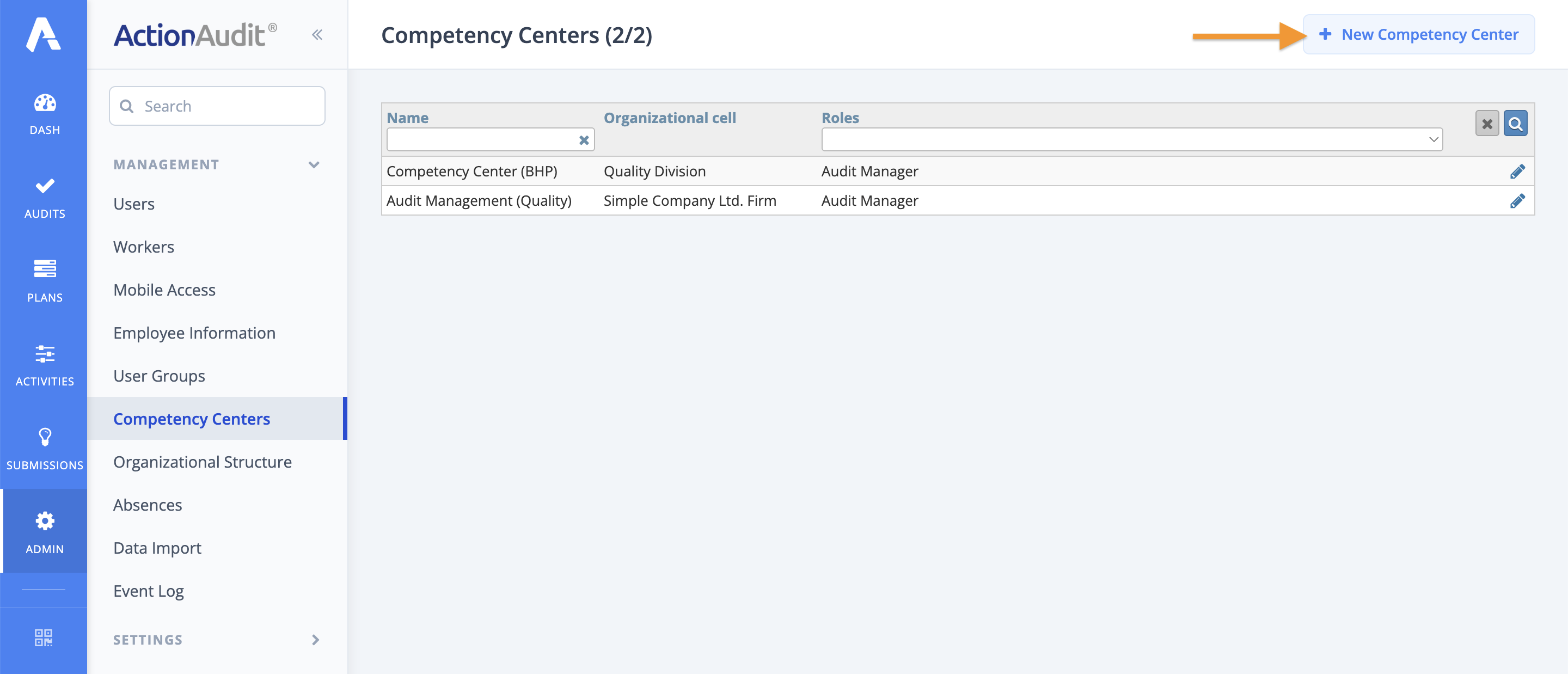
After clicking the button, a form will open where you must define the center’s name, assign the appropriate organizational unit, and specify the users or groups who are to receive the extended permissions.
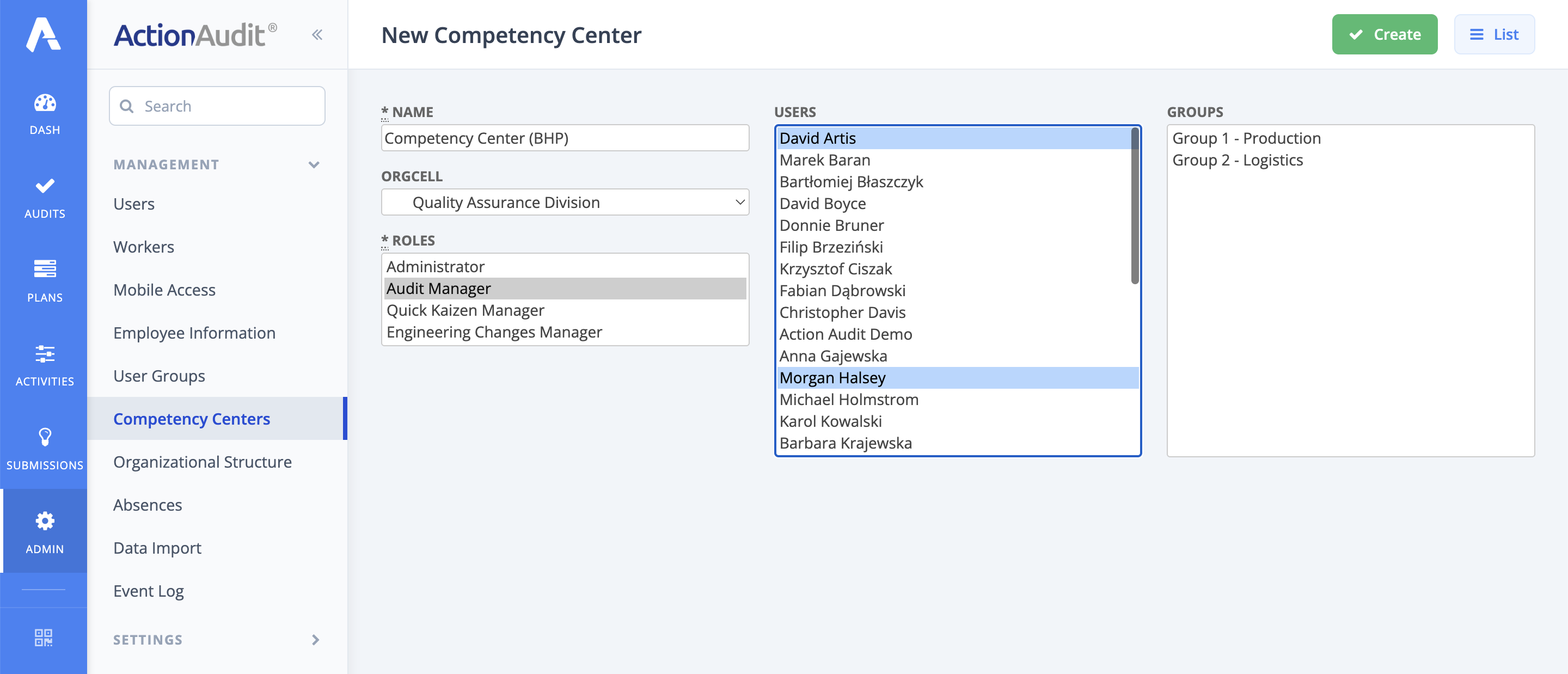
To save, click the green Create button.
Editing a Competency Center
To make changes to an existing competency center:
- In the list within the Competency Centers tab, find the item you wish to modify.
- Click the pencil icon located on the right side of the selected row.
- Enter the necessary changes in the form (e.g., change the name, role, or assigned unit).
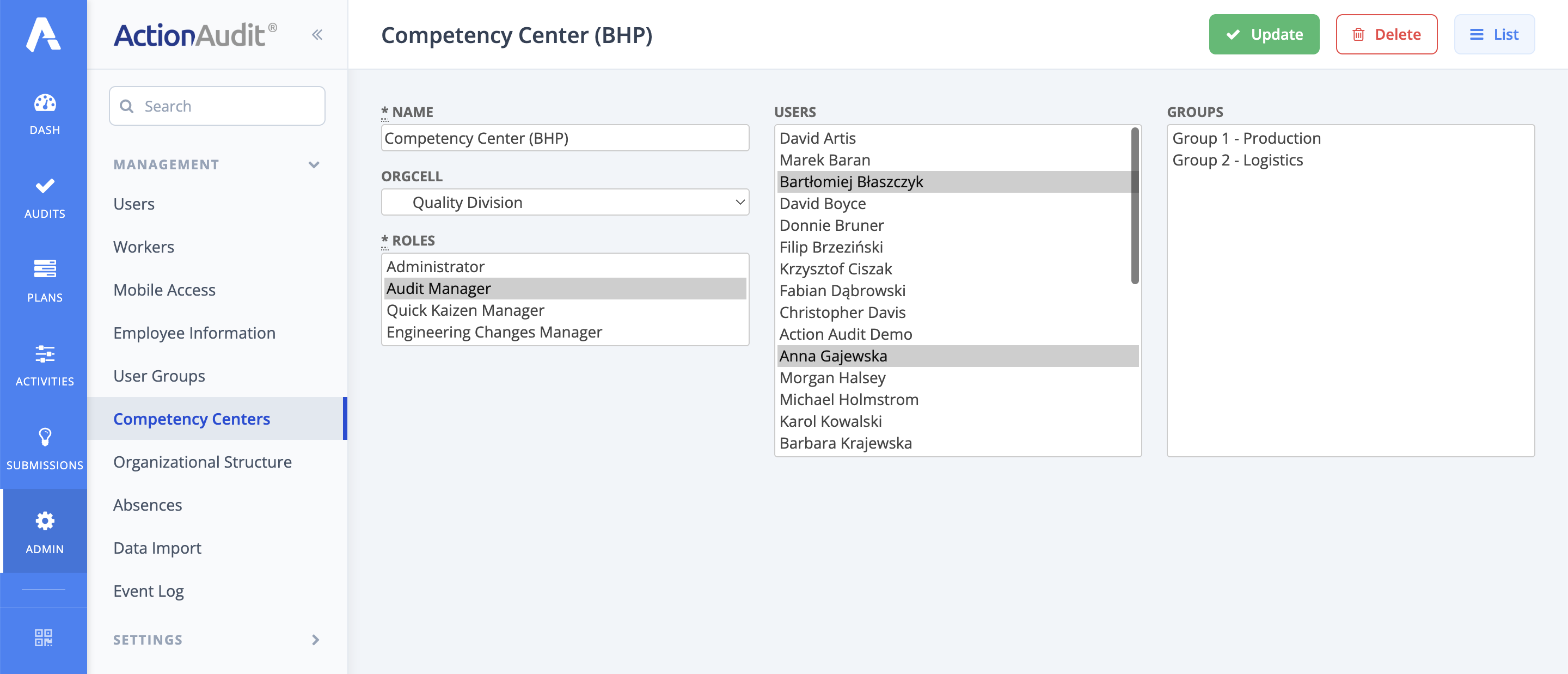
- Click the Update button to save the changes, or the Delete button to remove the selected competency center from the system.