Copying Action Plans
This feature is located in the Settings tab of the Action Plan view and allows you to make a copy of an existing plan. Tip: If you plan to make multiple copies, we recommend using Action Plan Templates, which allows the duplication of a saved plan template.
To copy an action plan, a user must be assigned:
- at least read access to the source action plan,
- at least the reporting role.
To create a copy of the selected action plan, use the white function bar, expand the Settings tab and select Create copy:

Selecting this option will open a New Action Plan form with all fields filled in and a suffix (copy) added to the subject
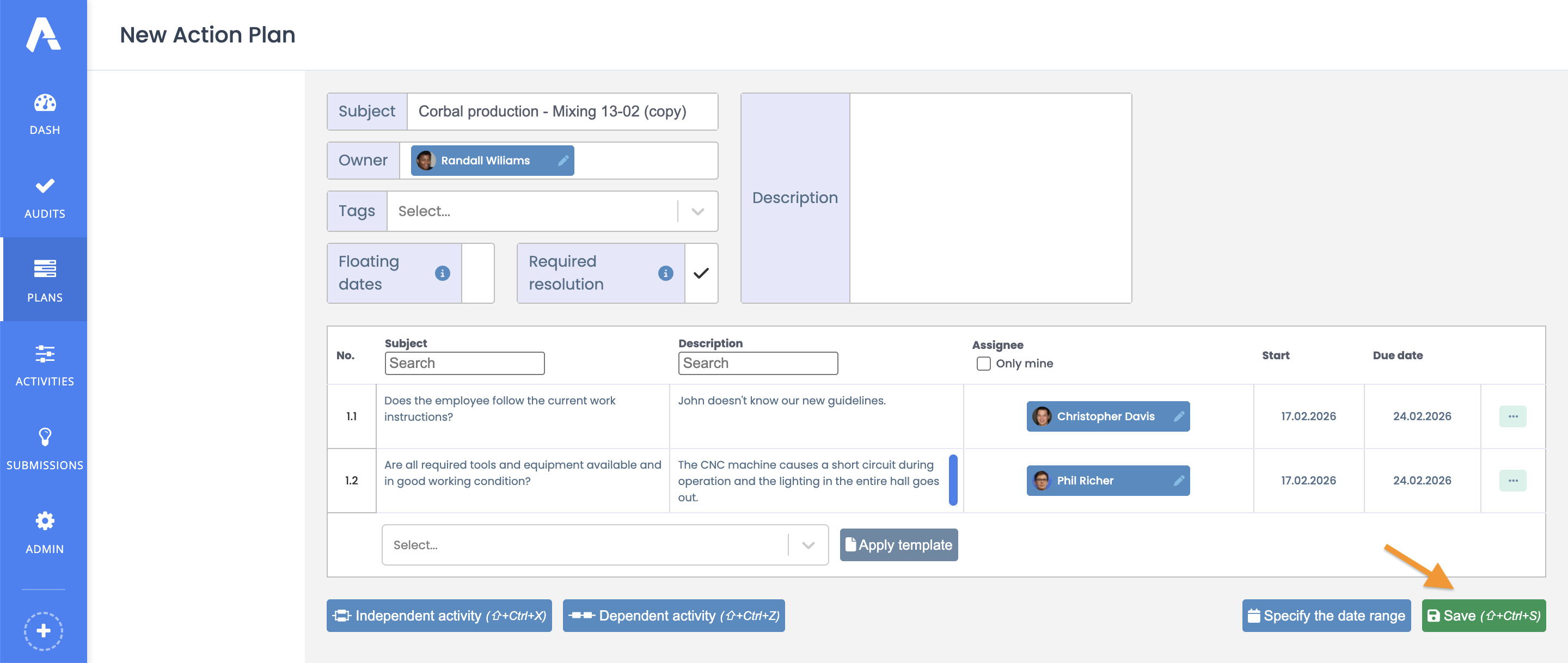
At this stage, you can make changes to the copy and save the new action plan.