

6S Audit Software
What is a 6S audit?
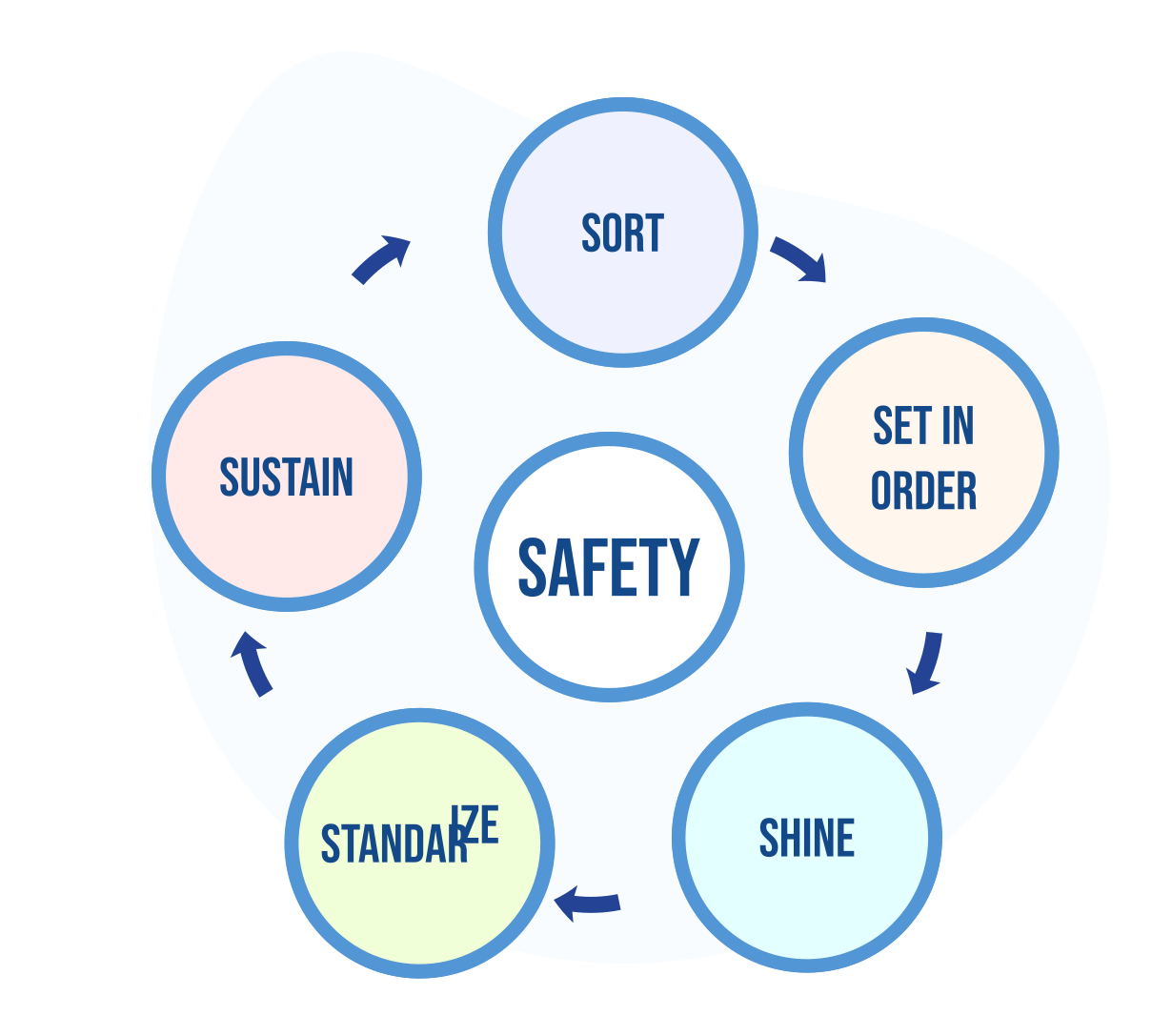
- Seiri -> Sort
- Seiton -> Set in order
- Seiso -> Shine
- Seiketsu -> Standarize
- Shitsuke -> Self-discipline
Safety as the sixth S
First of all, safety rules
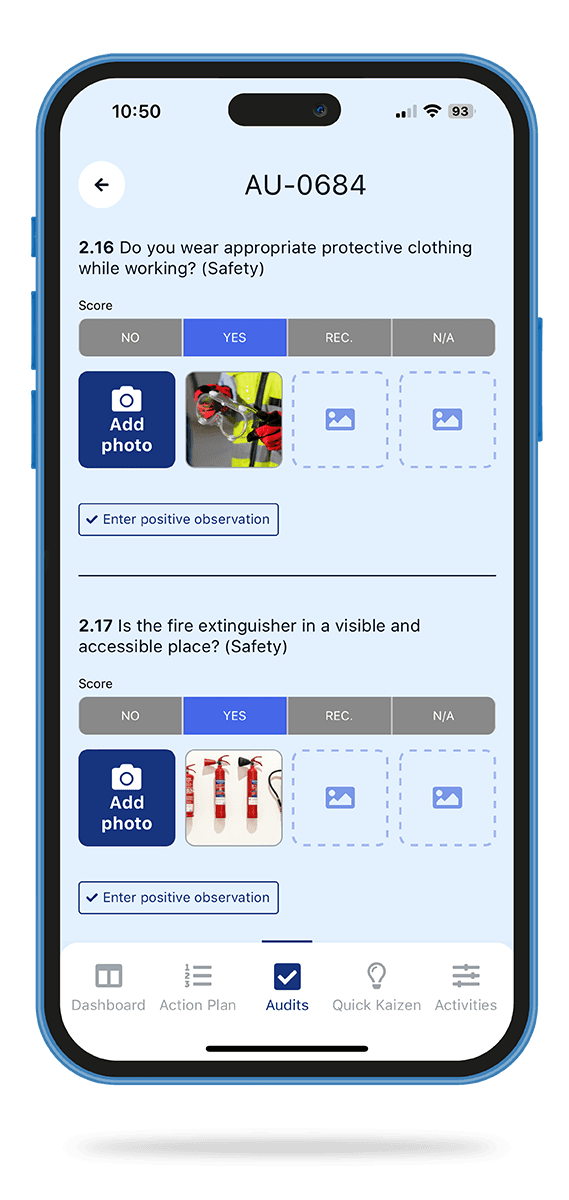
- Do you wear appropriate protective clothing while working?
- Is the fire extinguisher in a visible and accessible place?
- Are escape routes properly marked?
6S Audits on the Action Audit platform
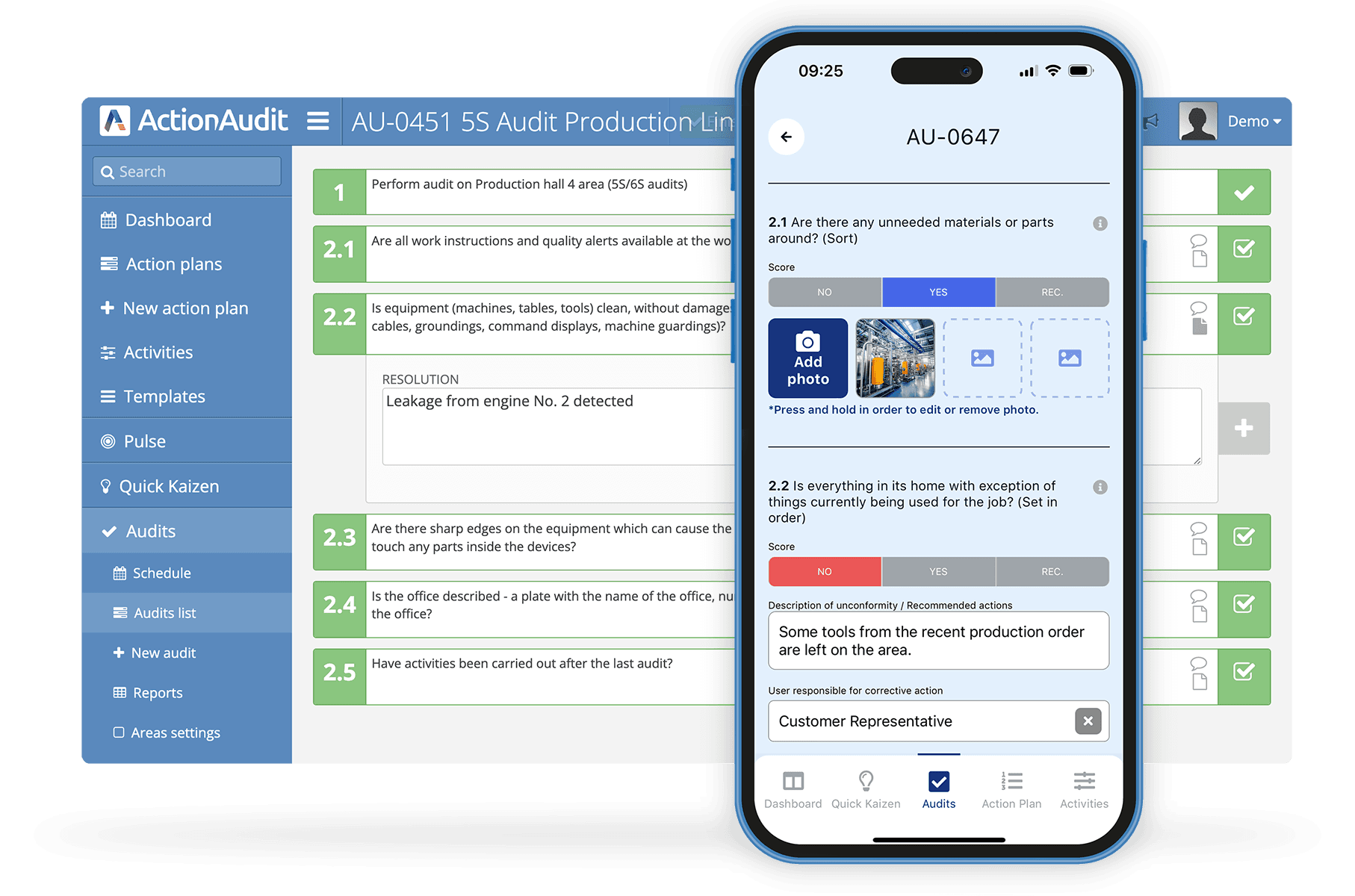
- the ability to create your own 5S and Safety checklists
- the ability of building groups of many auditors
- the ability to schedule audits, also on multiple layers.
Key benefits of implementing 6S audits using Action Audit software
Safety made visible and accountable - pulling Safety out as its own sixth category means hazards get their own score, owner and corrective actions at every audit, instead of being buried inside the other steps.
Time saving - the information obtained from the current users of the application shows that they achieve between 60 and 80 percent savings on time they previously spent on servicing the auditing process.
Greater team involvement - having a tool with which auditors can carry out an audit from a computer, a tablet or a phone, and people responsible for corrective actions have access to comprehensive information about any inconsistencies, the involvement of the entire staff is increased and the effectiveness of interdepartmental cooperation is improved.
6S audit - frequently asked questions
What is a 6S audit?
A 6S audit is a 5S audit extended with Safety as a separate sixth category. It checks the five core steps - Sort, Set in order, Shine, Standardize and Self-discipline - and adds a dedicated, separately scored Safety category.What is the difference between 5S and 6S?
The five core steps are identical. 6S simply makes Safety an explicit, separately scored category instead of treating it as an implicit part of the other steps. If you already run 5S, moving to 6S means adding Safety checklist items and a Safety score. See the full 5S method here.What is the sixth S (Safety)?
Safety is the sixth S. Rather than a step that comes after the other five, it is a permanent element shared by all of them - covering personal protective equipment, hazard identification, fire safety, escape routes and workplace warnings.Why add Safety as a separate category?
Making Safety its own category keeps it visible at every audit, gives it a clear owner and score, and ensures safety-related non-conformities trigger their own corrective actions - which is harder to guarantee when safety is only implied within the other 5S steps.How to run Action Audit in 3 steps?
Step 1
Click on the link below and fill out a short form in which we will ask you to present a few basic parameters regarding audits in your company.
Step 2
One of our specialists will contact you to arrange an online meeting to see how Action Audit will work in your organization.
Step 3
Based on the information from the form and the meeting, we will prepare an Action Audit especially for you and make it available for free testing for 30, 45 or even 60 days!