


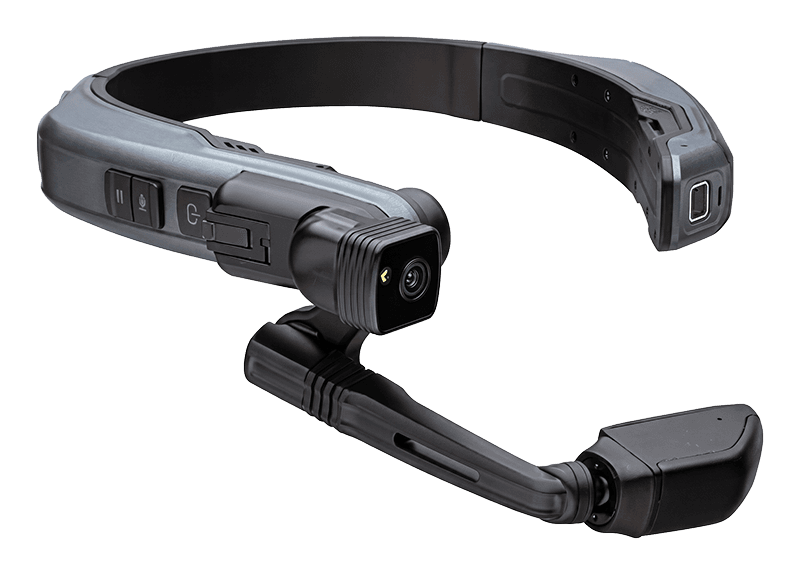
Conduct audits hands-free
The Action Audit app for RealWear Navigator 520 lets you perform complete audits using only your voice — hands always free for the work that matters.
Hands-Free Sign-In — No Dictation Needed
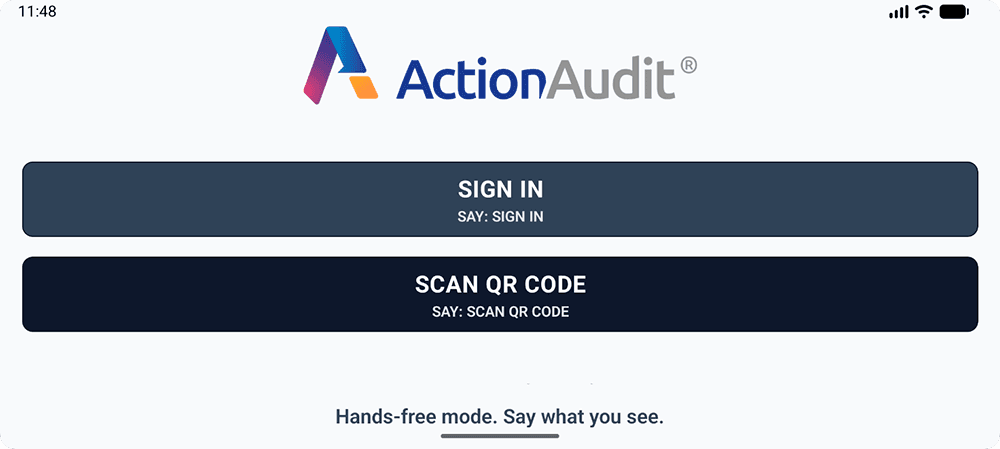
Log in to Action Plan Pulse on your RealWear Navigator 520 without touching a keyboard or dictating a single word. Simply open the Action Audit web platform on the administrator's computer, scan the displayed QR code with your device — and you're logged in automatically.
Prefer a traditional login? Say "Sign In" and enter your email and password using the voice keyboard — RealWear's WearHF voice control handles the rest.
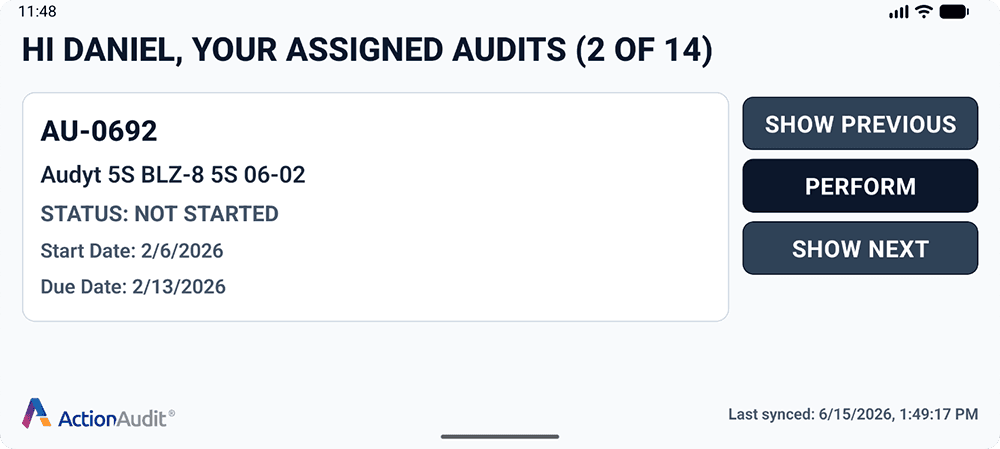
Browse and Start Your Assigned Audits
Your scheduled audits appear on the home screen as a carousel. Jump between them with voice commands "Next" or "Previous". When you're ready to begin, say "Perform Audit" and the questionnaire opens immediately.
The device automatically syncs with the server. After working offline, simply say "Refresh" when back in range and your audit data is updated instantly.
Answer Questions Entirely by Voice
No stylus. No touch. Just your voice.
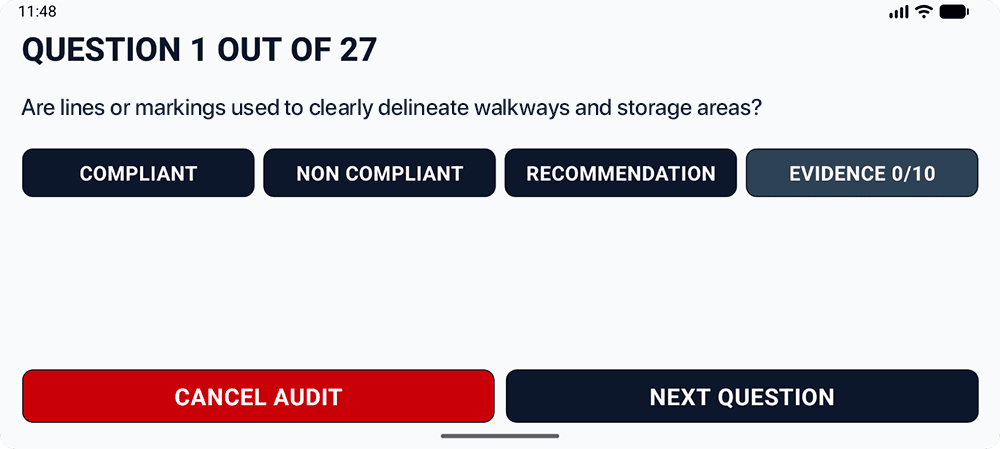
Each audit question is displayed clearly on the screen. Say "Compliant", "Non Compliant", or "Recommendation" to record your answer instantly — no tapping required.
For non-conformities and recommendations, you can dictate the corrective action description. RealWear's built-in microphone captures speech clearly even in noisy industrial environments.
Navigate between questions with "Next Question" and "Previous Question", and finalize the audit with a single voice command when done.

Document Evidence with Photos and Video
See it, say it, documented.
Document non-conformities with photos and video without touching the device. Say "Take Photo" to attach it as evidence, or "Record Video" to capture a short clip using the Navigator 520's built-in camera.
All evidence is automatically attached to the relevant audit question and uploaded to the Action Audit platform when the device syncs with the server.